.png)
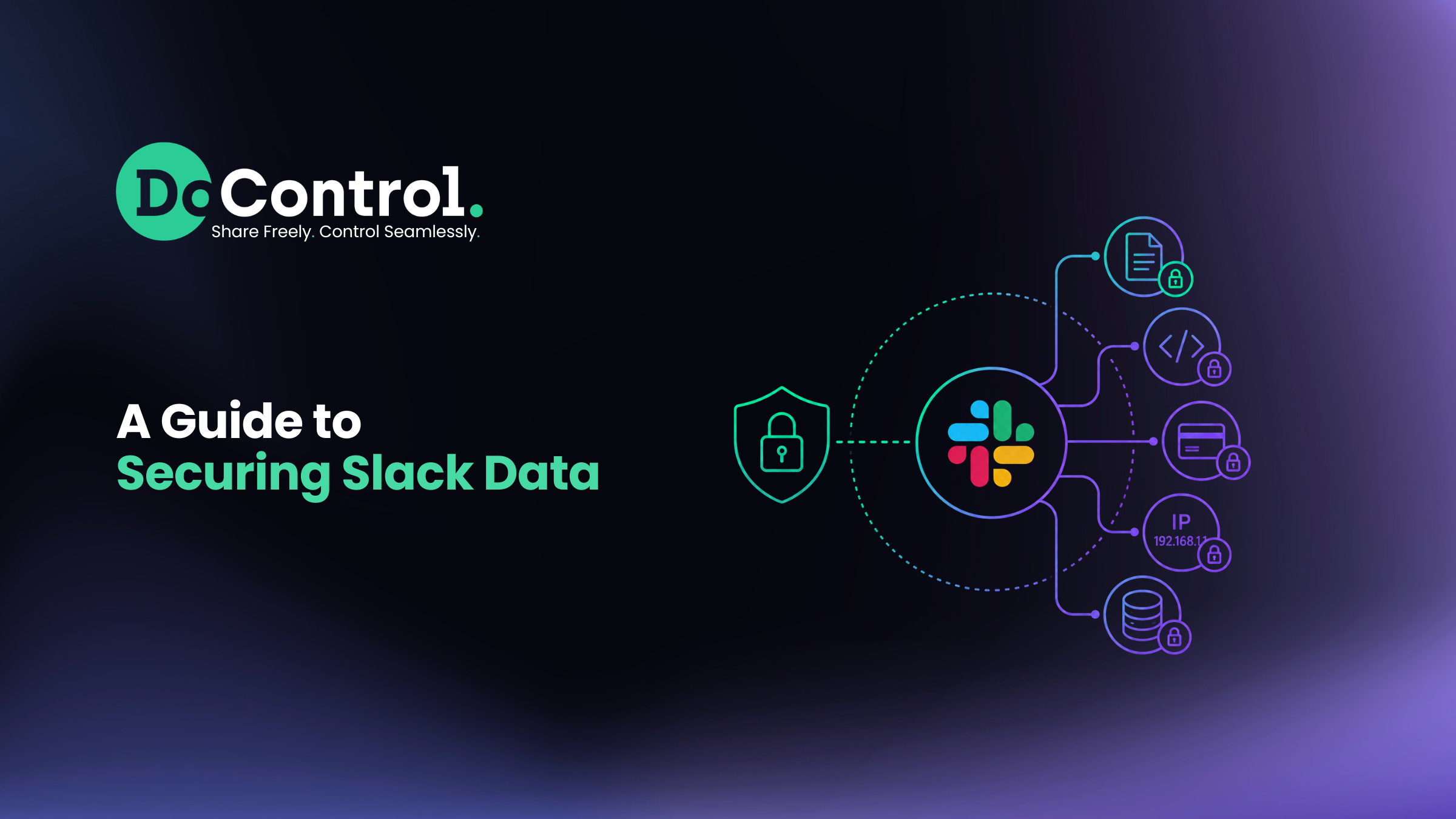
Slack has become the default nervous system for how modern teams communicate. An estimated 35 million people use it daily to send messages, files, and data in real time. The convenience of communicating via Slack comes with a cost: sensitive data flows through it constantly, often without anyone tracking where it ends up.
Every day, employees paste customer records, credentials, financial data, and internal documents into channels and DMs — an average workforce of 5,000 people generates roughly 30 million Slack messages a year, and industry research suggests as many as 1 in 166 of those messages contains confidential information.
Securing Slack data isn't optional anymore; it's a core part of any organization's data protection strategy.
This guide breaks down the real risks to Slack data, the native settings you should configure, and the best practices that reduce exposure without slowing teams down.
TL;DR
- Slack's speed and openness make it a prime target — a single compromised account or careless overshare can expose months of sensitive conversations, files, and credentials at once.
- Disney's 1.1TB breach and Palantir's insider walkout show two very different ways Slack data gets exposed — one from an external attacker with insider help, the other from a trusted employee walking out the door.
- Three of the biggest threats are employees oversharing sensitive data, unvetted third-party apps with broad permissions, and stale access left behind by former employees and contractors.
- 2FA/SSO, encryption with Enterprise Key Management, least-privilege access, retention policies, and audit logging form the baseline every workspace should have configured.
- Slack's built-in tools stop at configuration — most plans lack real content-based DLP, context-aware threat detection, and automated remediation, which is where dedicated SaaS security tools close the gap.
Why Securing Slack Data Matters
Slack security incidents aren't hypothetical — and the two most high-profile cases of the past two years show just how much damage a single compromised or careless Slack account can do.
Disney, 2024.
Hacker group NullBulge exfiltrated 1.1TB of data from nearly 10,000 channels on Disney's developer Slack, then published it for anyone to see — login credentials, unreleased projects, source code, images, and links to internal websites and APIs.
NullBulge said the attack was retaliation over how Disney handles artist contracts, AI, and its customers, and claimed to have gained access through a compromised or complicit insider — a Disney manager of software development.
The group had telegraphed the attack for two months, teasing stolen files publicly in May and June 2024, but Disney's response never went beyond confirming it was "investigating the matter" — until the full leak hit that July.
Palantir, 2025.
Palantir sued two former employees, Radha Jain and Joanna Cohen, alleging they exfiltrated proprietary source code and customer data by sending files from their company Slack workspace to a personal Slack account the day before resigning. Palantir claims that data helped launch a rival AI analytics startup, Percepta, which within months had hired at least ten former Palantir employees — nearly half its workforce, including its CEO.
Together, the two cases bookend the full range of Slack security risk.
Disney shows what happens when an attacker — with or without inside help — is able to export massive volumes of data from a Slack workspace without anyone noticing until it's already public. Palantir shows you don't need a hack at all: a single trusted employee moving files from one Slack workspace to another, with nothing more than a drag-and-drop, walked out with sensitive IP undetected.
Neither required a sophisticated exploit. Both required someone watching for anomalous data movement — and in both cases, no one was, until the damage was done.
Insider-related incidents now cost organizations an average of $17.4 million a year, up from $16.2 million just two years earlier. And, most of them happen in the SaaS apps employees use every day.
Common Slack Security Risks
Data oversharing and PII exposure: Employees routinely paste PII, PCI data, credentials, and internal documents into channels that are more open than they realize.
Data exfiltration via private channels and DMs: Slack syncs across every device a user is logged into. A malicious or compromised insider can move confidential information into a private channel or DM and retrieve it later from a personal device, bypassing traditional DLP controls entirely.
Stale access from former employees and contractors: Offboarding gaps are more common — and more exploitable — than most teams assume. In one example of a Slack security incident, a tech writer at an organization changed his Slack display name to "Slackbot" and remained inside his former employer's workspace, undetected, for months. It was done as a prank, but it shows how easily a departed employee or contractor can retain access to internal conversations if accounts aren't locked down immediately.
Third-party app and integration risk: Slack's App Directory includes thousands of integrations, many requesting broad permissions to read messages, files, and user data. Slack itself acknowledges that it doesn't vet directory apps for security standards — that responsibility falls entirely on the business installing them.
Misconfiguration and configuration drift: Session duration limits, email domain restrictions, external sharing permissions, and guest access settings all need active management. Left unchecked, these misconfigured SaaS settings tend to drift away from secure defaults over time.
Credential compromise and phishing: Slack's real-time, informal tone makes social engineering easier — messages that look like they're from IT or a manager get less scrutiny than an email would.
It’s important to note here that these risks associated with Slack are not Slack's fault. Slack is a communications platform that powers businesses all over the world — it’s not a security platform. Slack’s focus is to power its own software and bring value to its customers, not to secure the data that is being shared within the platform and act as a cybersecurity product at the same time.
Essential Slack Settings for Data Security
- Two-factor authentication (2FA) and SSO: Require 2FA workspace-wide as part of a zero-trust approach, and use SAML-based single sign-on so access is tied to your identity provider rather than standalone Slack credentials.
- Encryption and Enterprise Key Management (EKM): Slack encrypts data at rest and in transit by default. Enterprise Grid customers can layer on EKM to manage their own encryption keys via AWS KMS for tighter control over data access.
- Role-based access and least privilege: Channels where financial details, customer data, or other sensitive information is shared should be private, with membership limited to the smallest group possible.
- Data retention and deletion policies: Configure retention windows so sensitive data doesn't linger indefinitely in channels or DMs.
- Audit logs and activity monitoring: Enterprise plans include audit logs that track logins, file access, and admin changes — critical for spotting anomalous behavior before it becomes a breach.
Best Practices for Securing Slack Data
1) Lock down channels by default. Restrict who can create public channels, use private channels for sensitive discussions, and apply least-privilege membership rather than adding people "just in case."
2) Offboard immediately, not eventually. The moment an employee leaves or a contractor's engagement ends, remove them from every channel — especially ones with sensitive data — and lock their account. Don't rely on a quarterly cleanup; access should be revoked the same day.
3) Deploy DLP for Slack specifically. Native Slack DLP is limited to Enterprise Grid and has real gaps — no file or image scanning, no granular per-channel policies, no business context (more on that below). A dedicated Slack DLP layer that scans messages and files for PII, credentials, and other sensitive patterns closes what native settings leave open.
4) Vet and audit every integration. Limit who can install apps, require an approval process, review requested scopes against actual business need, and periodically remove integrations that are no longer used.
5) Enforce guest access hygiene. Set expiration dates on guest accounts, restrict what guests can view or download, and revoke access immediately when a project or contract ends.
6) Train employees, not just IT. Most exposure comes from well-meaning employees who don't recognize the risk — whether it's oversharing sensitive data, installing an unvetted app, or falling for a phishing message disguised as an internal Slack DM. Company-wide training on vetting apps and spotting social engineering is as important as any technical control.
7) Build an incident response plan specific to Slack. Know in advance how you'll isolate a compromised account, investigate the scope of exposed channels, and reset credentials without disrupting the whole workspace.
Compliance and Legal Considerations
Organizations bound by regulations like GDPR, HIPAA, PCI DSS, or SOC 2 need to treat Slack as part of their compliance scope, not an exception to it.
SaaS compliance is a complicated web, and it takes a team of people, tools, and expertise to get it right. Depending on your industry, you may also be required to retain a full digital record of business-related Slack conversations — the same way you would email — for eDiscovery or dispute purposes.
That means confirming retention settings align with regulatory and legal hold requirements, ensuring sensitive data isn't shared in unmonitored channels, and looping in legal and compliance teams on how business conversations on Slack fit into existing recordkeeping policies.
What is Slack DLP?
Slack DLP (data loss prevention) refers to the tools and controls used to detect, monitor, and stop sensitive information — PII, credentials, financial data, source code — from being exposed, shared inappropriately, or exfiltrated through Slack's messages, files, channels, and integrations.
Traditional DLP was built for email and endpoint file transfers. Slack breaks that model: data moves through real-time messages, DMs, private channels, canvases, and a constantly shifting web of third-party app integrations, none of which behave like a typical email attachment.
A DLP approach built for a slower, more static environment misses most of what actually happens in Slack.
An effective Slack DLP approach needs to do three things:
- First, scan content — both messages and files — for sensitive data patterns as they're shared, not after the fact.
- Second, apply business context so normal, legitimate sharing isn't flagged the same way as genuine risk (a finance channel discussing account numbers is different from an account number landing in a public channel by accident).
- Third, remediate automatically — quarantining, deleting, or restricting access — before exposure spreads to more users or leaves the workspace entirely.
Slack's own native DLP controls (Enterprise Grid only) cover the first piece, and only partially. The context and automated remediation pieces are largely absent, which is where dedicated Slack DLP tools come in — and what the rest of this guide covers.
Slack DLP: Native Capabilities and Limitations
Slack does offer native Slack DLP functionality — but only on the Enterprise Grid plan. Free, Pro, and Business+ workspaces have no built-in Slack DLP at all, which is one reason so many organizations end up layering on a third-party tool.
What Slack's native DLP does
Enterprise Grid admins can write custom rules or use preconfigured ones to scan for things like credit card numbers, API tokens, and other PII patterns.
Rules can be scoped to specific workspaces, conversation types, or Slack Connect conversations with external partners — a meaningful step up from having no content scanning at all.
Where it falls short
Native Slack DLP doesn't scan inside files — screenshots, PDFs, and images pass through untouched, since Slack has no OCR or deep-inspection capability.
It also lacks granular, targeted policy controls: you can't configure a rule like "only scan the #finance channel for bank account numbers" tied to a specific team or user group. And because native DLP evaluates message content in isolation, it has no way to factor in business context — it can't tell the difference between a finance employee legitimately discussing an account number and the same string appearing somewhere it shouldn't.
The Discovery API is the real gap-filler
For deeper coverage, Slack exposes the Discovery API to approved Enterprise Grid partners — a streaming feed of every message, file, edit, and reaction across every workspace, channel, DM, and Slack Connect conversation.
This is the door dedicated Slack DLP platforms walk through to deliver the content inspection, context awareness, and automated remediation that Slack's own settings don't provide out of the box.
Source: Slack's own documentation on data loss prevention.
How DoControl's Slack DLP Closes the Gap
Native Slack settings and manual audits only go so far — they're point-in-time checks in an environment generating millions of messages a year.
As an official Slack partner, DoControl secures all shared data and files across every identity and entity in your Slack environment, including internal employees and external collaborators, covering public and private channels, direct and group messages, and file uploads.
DoControl's Slack DLP gives you granular, future-proofed data access control policies that restrict sensitive files from unauthorized parties, plus automated access revocation — specify a timeframe and access is rescinded on schedule without manual follow-up.
Rather than flooding your team with alerts, DoControl pulls security and business context from sources like your IDP, HRIS, and end-user interactions to distinguish normal business communication from genuine threats, then prioritizes and remediates automatically.
The DoControl bot also engages end users directly, flagging outdated or inappropriate sharing and streamlining approval decisions through an intuitive interface — building a security-aware habit into the workflow itself rather than relying on after-the-fact audits.
Conclusion
Slack's value comes from how easily it lets people share, and that's exactly why securing it takes more than good intentions.
Native Slack settings, least-privilege access, DLP habits, and third-party app governance are the foundation, but they're largely manual and point-in-time — which is exactly the gap attackers and careless insiders exploit.
Closing it means pairing those fundamentals with continuous, context-aware monitoring and automated remediation, so risky sharing gets caught and contained in real time rather than discovered after it's already public or already in a competitor's hands.
FAQs
Is Slack secure enough for sensitive business data?
Slack's platform-level security — encryption, SSO, EKM — is strong, but security in practice depends heavily on configuration, user behavior, and third-party app governance.
What's the biggest risk to Slack data?
Oversharing by well-meaning employees, not sophisticated external attacks, accounts for the majority of Slack data exposure — roughly 75% of insider incidents are non-malicious.
Does Slack have built-in DLP?
Only on Enterprise Grid, and even then it's limited — native Slack DLP can flag patterns like credit card numbers or API tokens in text, but it can't scan inside files or images, apply granular per-channel policies, or factor in business context. Most organizations pair it (or replace it entirely, on lower-tier plans) with a dedicated Slack DLP tool via Slack's Discovery API.