Early last year, Google launched AI-powered data classification for Workspace customers to automatically label files across Google Drive. Significant updates have been made since then.
These updates enable DoControl to implement new and unique control policies that were previously unattainable, as detailed in this blog post.
A Primer on Google Drive Labels
Google Workspace customers maintain millions of files stored in Google Drive. While customers traditionally catalog and organize these files in different Shared Drive folders, most files are actually stored within users’ My Drive folders. This is a result of the default user experience of files creation within Google Drive, especially when using shortcuts such as docs.new, sheets.new, or slides.new to kickoff new documents instantly to be saved in My Drive.
As such, Google Drive data is spread across personal and shared drives by definition. Therefore, it’s essential that organizations use Drive Labels to help organize, find, and apply policies to files in Drive.
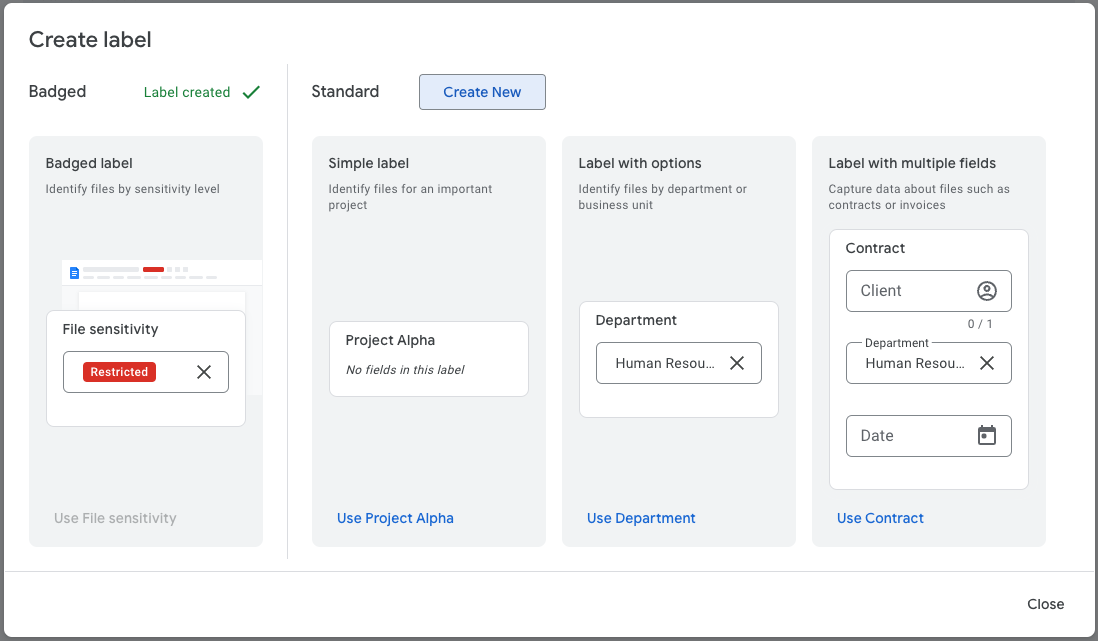
There are a few methods to create Drive Labels.
How Google Uses AI to Automatically Create Labels
DoControl recommends Google Workspace customers to leverage Google AI classification labels because it’s more accurate, covers more use cases, and requires significantly less maintenance.
Until Nov 2025, Google Gemini AI classification required admins to identify and manually label training files for the AI model to learn the types of data associated with each data classification level.
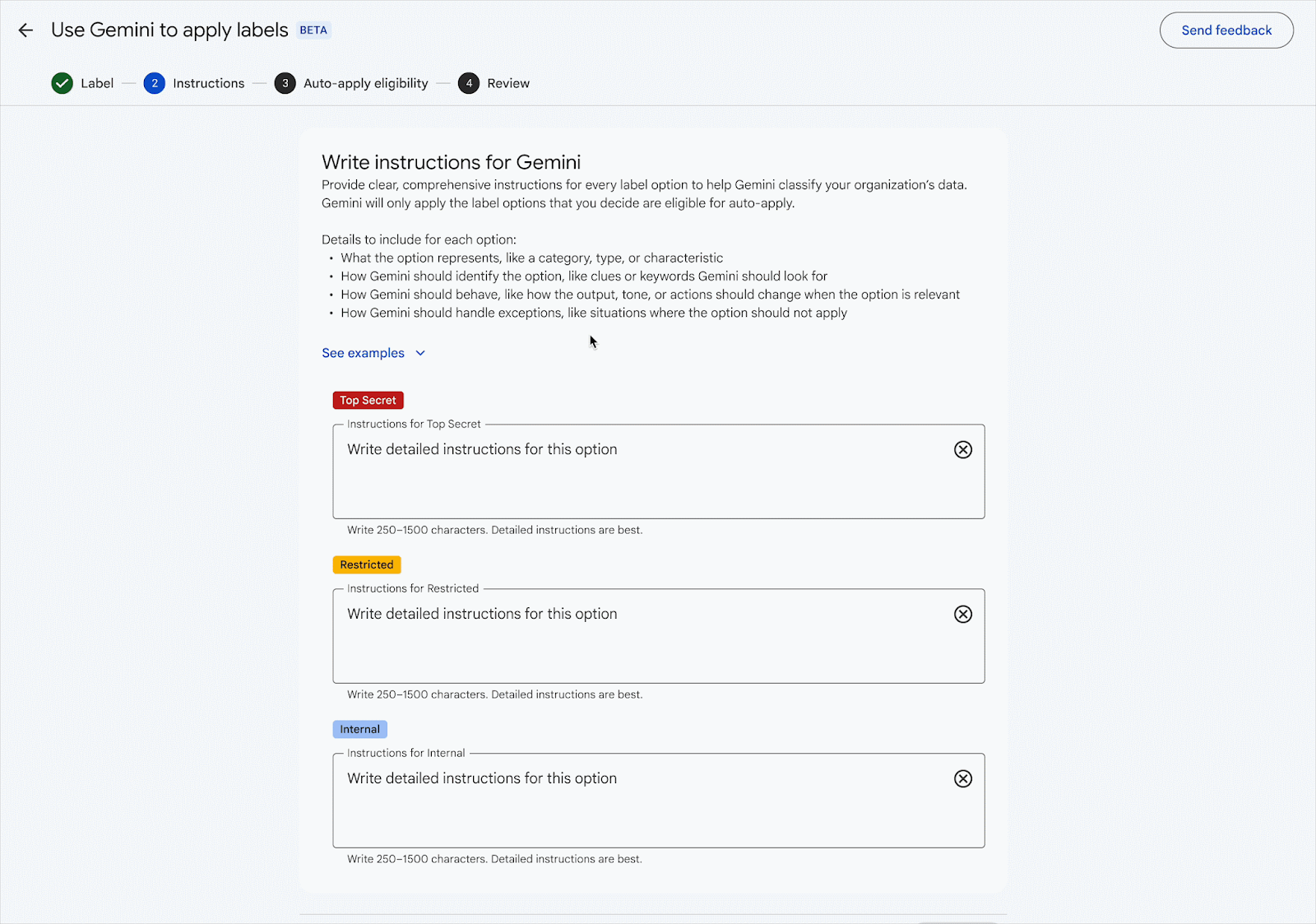
With this new capability, Gemini models offers admins another method to set up AI classification by eliminating the need for manual model training - replacing the process with administrator-defined instructions or prompts.
Gemini models interpret prompts, evaluate files, and apply appropriate data classification labels based on the provided instructions. For files labeled by Gemini, editors and owners on those files with the appropriate label permissions will have the opportunity to review and accept or modify the automatically applied label.
Gemini models automatically interpret prompts and evaluate files to apply appropriate data classification labels according to the instructions provided. Editors and owners who have the necessary label permissions for files labeled by Gemini will be able to review and either accept or modify the automatically applied label.
How DoControl Combines Labels with HR, IDP, and End-User Business Context
By combining Google Drive Labels with HR systems, identity providers (IDPs), and end-user business context, DoControl enables smarter policies that understand both the data and the people interacting with it.
Use Labels in Assets Inventory
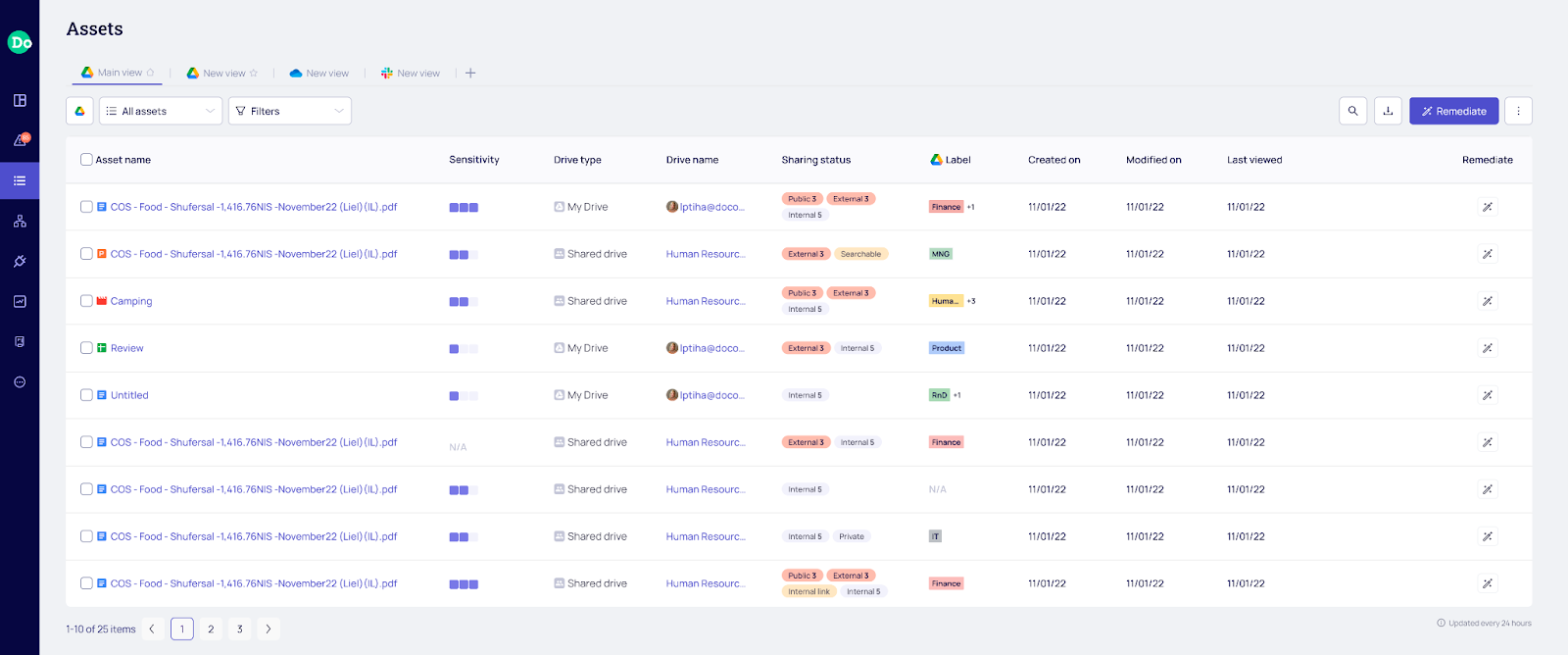
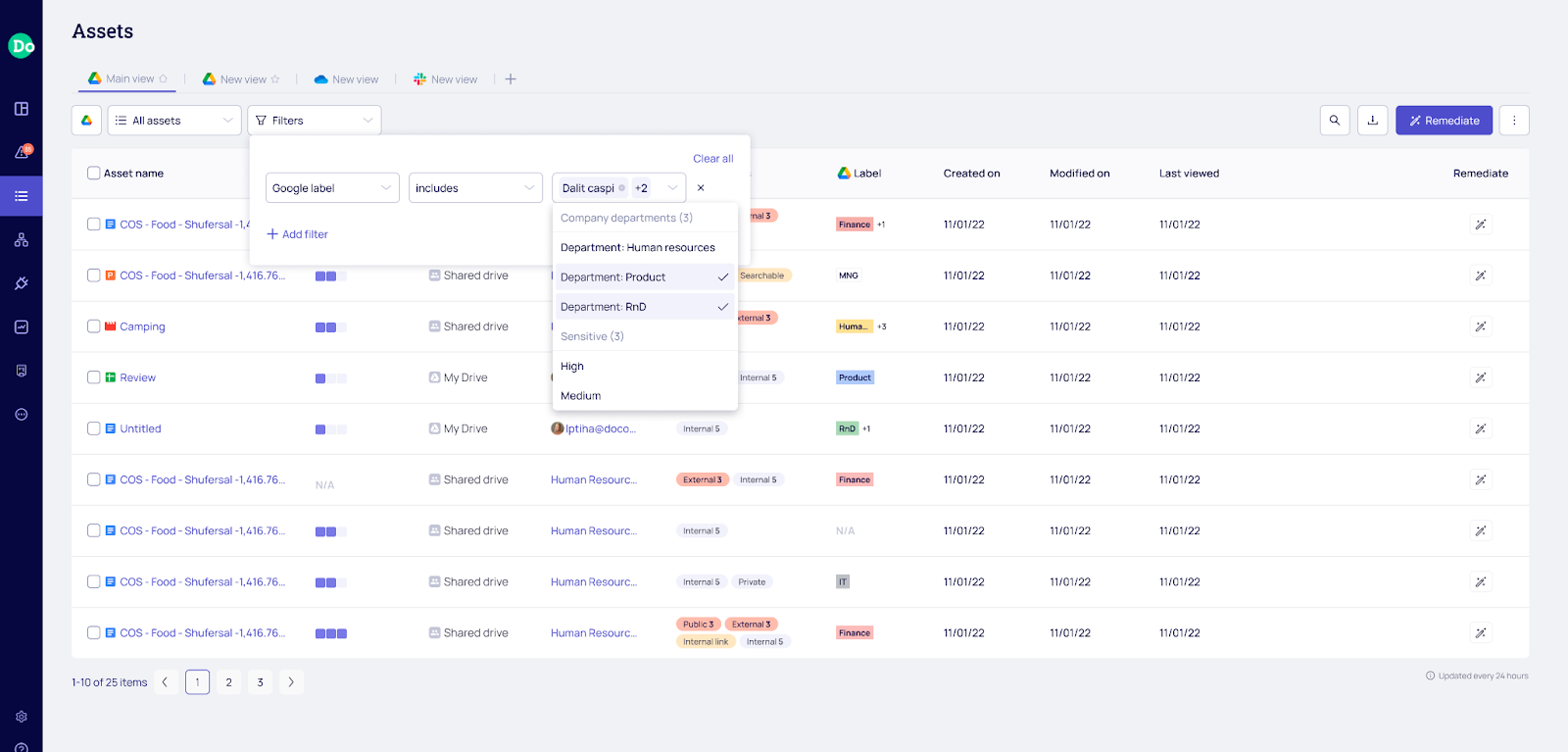
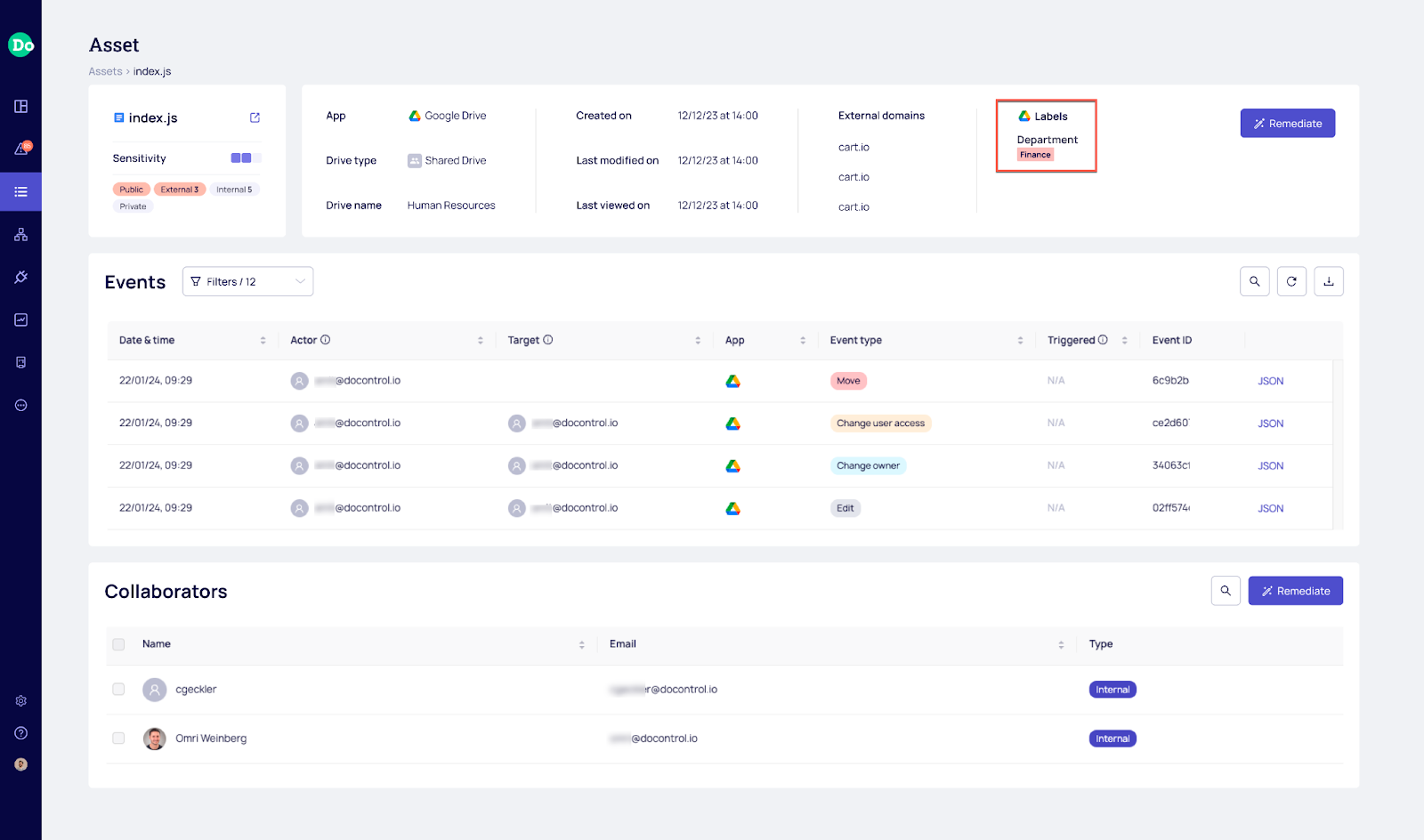
DoControl automatically updates Google Drive file metadata to go based on user activity events as well as Google Labels activity. With Labels in hand, customers can filter through the DoControl Assets Inventory and correlate between Google Labels, Sharing Status, Data Ownership, External Collaborators, File Activity/Inactivity, and much more. From there, customers can take bulk actions, such as external sharing cleanup, data ownership transfer, etc.
New Use Case for Labels in Workflows
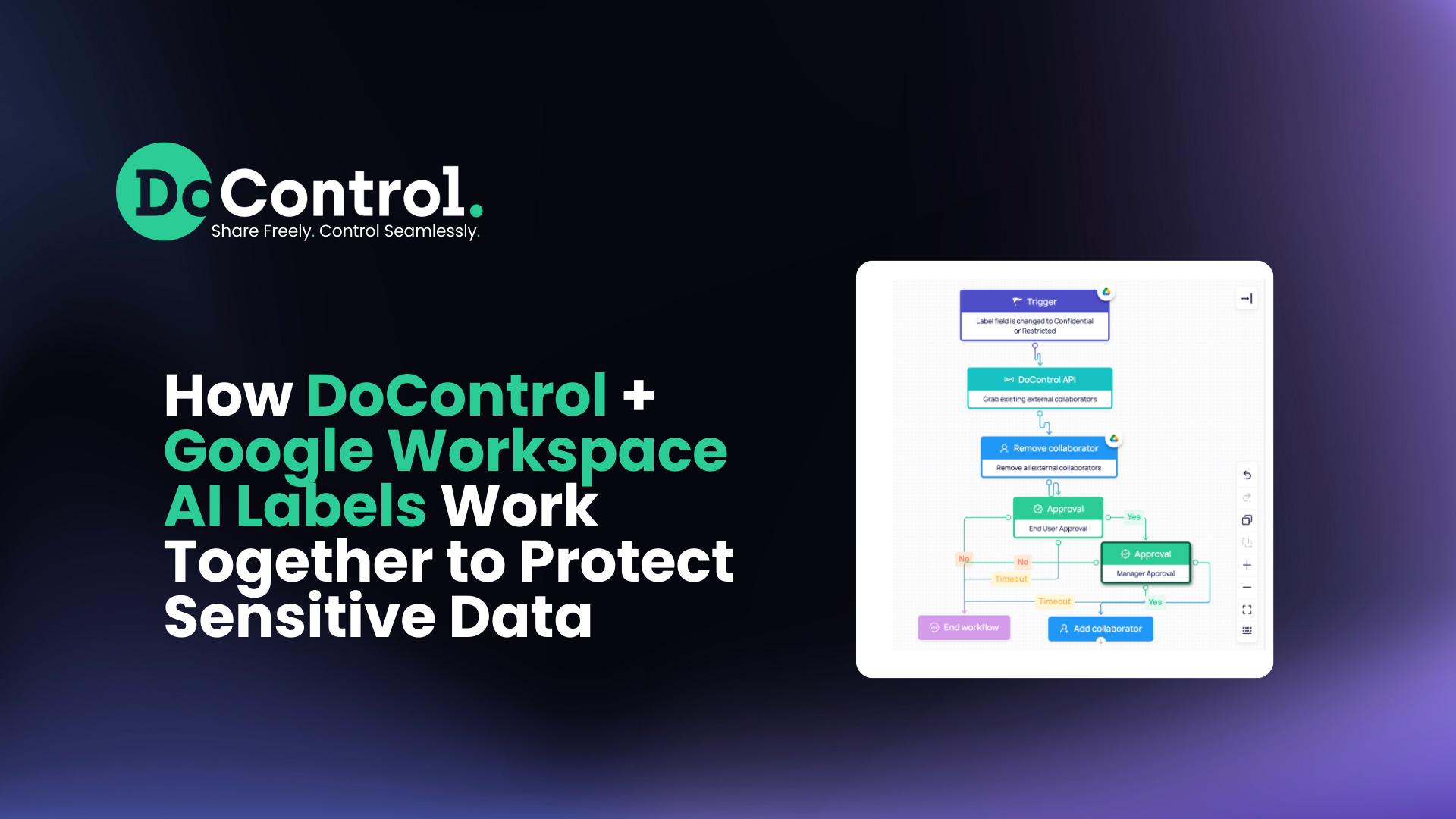
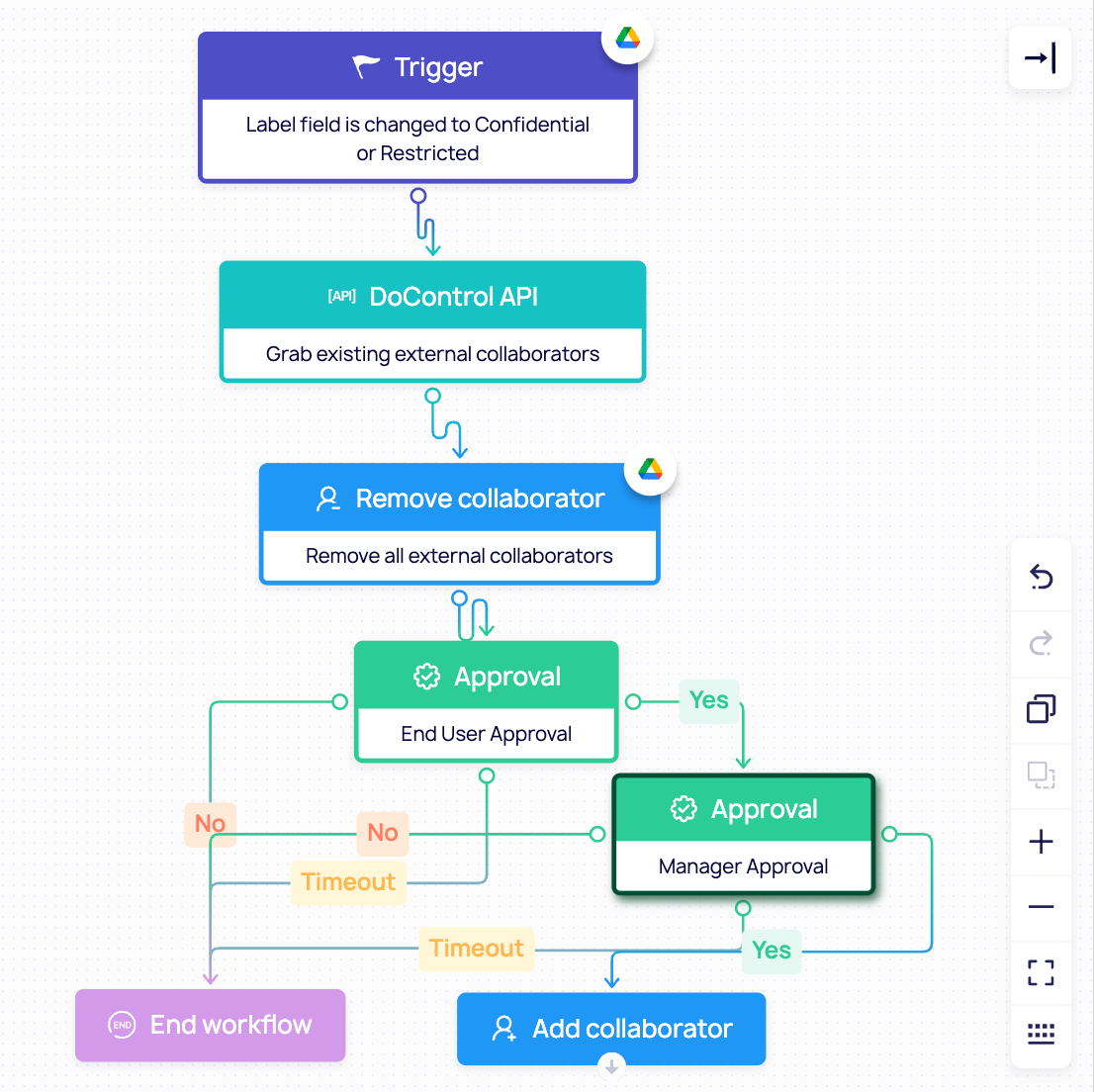
DoControl Automated Workflows are triggered based on user activity events, ongoing schedule, or manually by DoControl users. Workflows are granular, scalable, and sophisticated which allows for all kinds of threat modeling mitigation. Workflows combine Google Drive Labels, HRIS Employment Status, IDP Group Membership, and End-User Business Context to narrow down the scope and solve critical use cases with high confidence.
Gemini’s new update allows for DoControl to now confidently use the label change event as a triggering condition due to speed improvements. When an asset has sensitive data added to it, Gemini’s prompt based labels can tag and classify the file within minutes. When this tagging occurs, a DoControl Workflow can trigger that looks for potential oversharing. Approvals will be sent to either correct it or allow the sharing with full context on who it’s being shared to.
Top Customer Use Cases
Here are the key ways DoControl customers leverage Google Labels for enhanced data protection.
1. Attack Surface Discovery
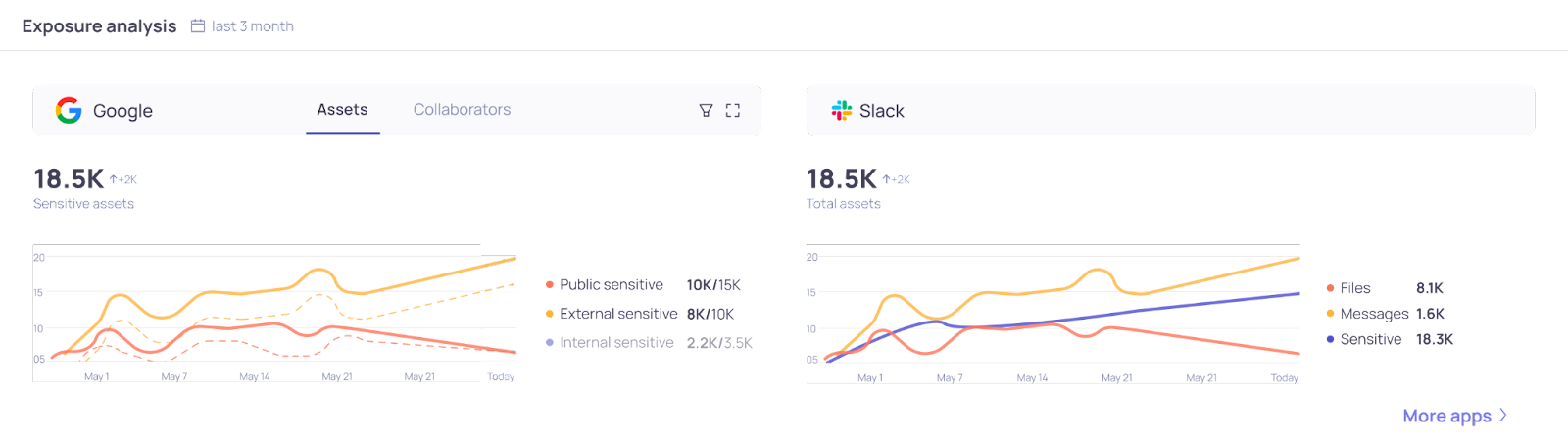
DoControl aggregates all Google Labels (Manual, DLP, Vault, AI) across all Google Drive files (My Drive, Shared Drive, Org Units) to enrich its assets inventory with data classification information.
From there, DoControl surfaces metrics displaying what % of data is sensitive, exposed, overshared internally, inactive, accessed by former employees/vendors, etc. Customers can export reports describing the current status of their Google Drive attack surface to assess the risk and cost of a potential data breach as well as list concrete action items.
2. Bulk Remediation / Cleanup
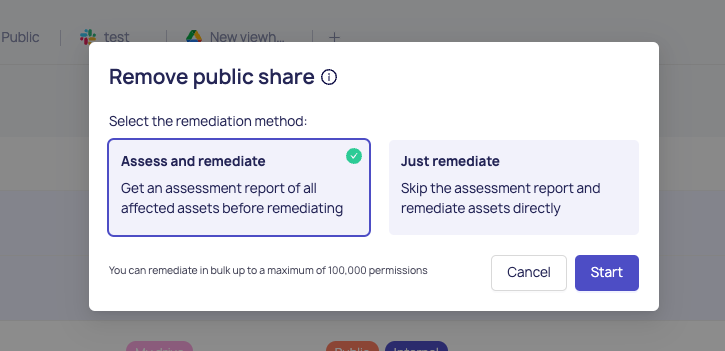
At the most basic level, customers can filter Google Drive files based on their labels, activity/inactivity, data owners, external collaborators, sharing status, and much more.
From there, customers can run a bulk remediation action removing millions of permissions all at once. This is extremely helpful in cleaning up unauthorized access, inactive permissions, and sensitive overexposures both internally and externally.
3. Internal “Ethical Walls”
Users store sensitive data in both My Drive and Shared Drive. In many cases, users prefer to share with anyone with a link internally as Editor and simply send the link in emails or Slack to collaborate with multiple users.
As a result, significant sensitive data is overexposed to non authorized users. DoControl Workflows can ensure only specific team members can access specific data points, either on My Drive or Shared Drive, having the relevant Google Labels.
For example, enforcing only Finance team members to access Finance data within the Finance Shared Drive, or any My Drive containing relevant Google Labels.
4. Granular External Sharing Auto-Expiration
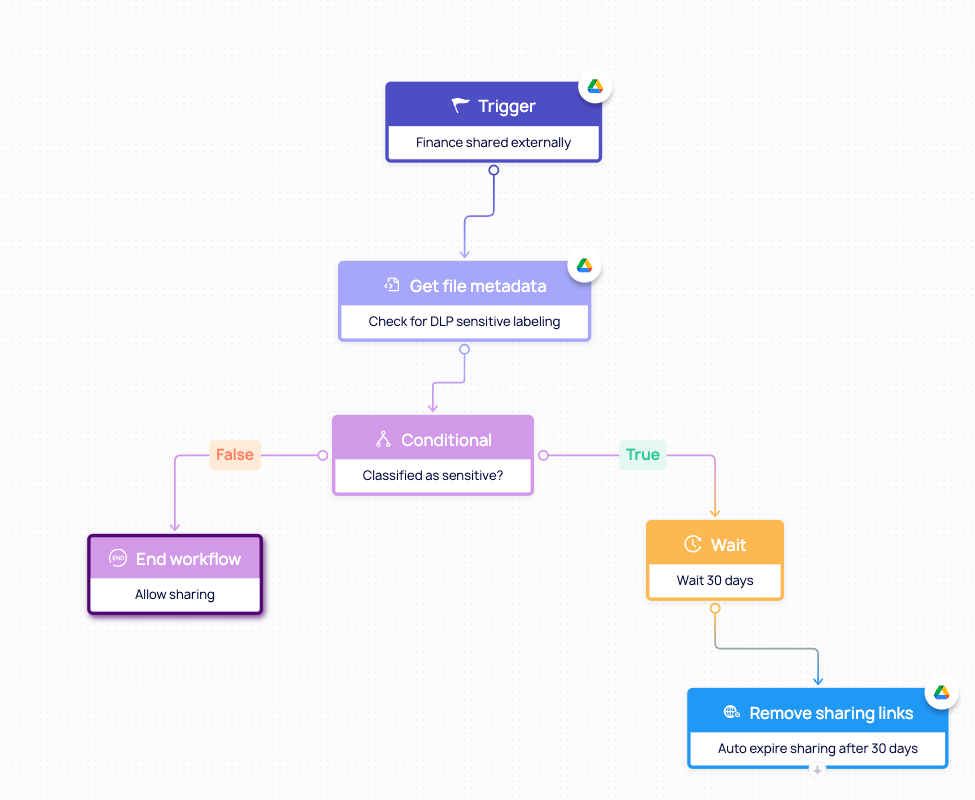
Not all external collaborations are created equally. While some require longer term collaborations, most external sharing becomes irrelevant X days. DoControl leverages Google Labels to auto-expire labeled data’s external sharing to ensure no company information is exposed forever. This is also true for public sharing.
5. Departing Employee Data Theft
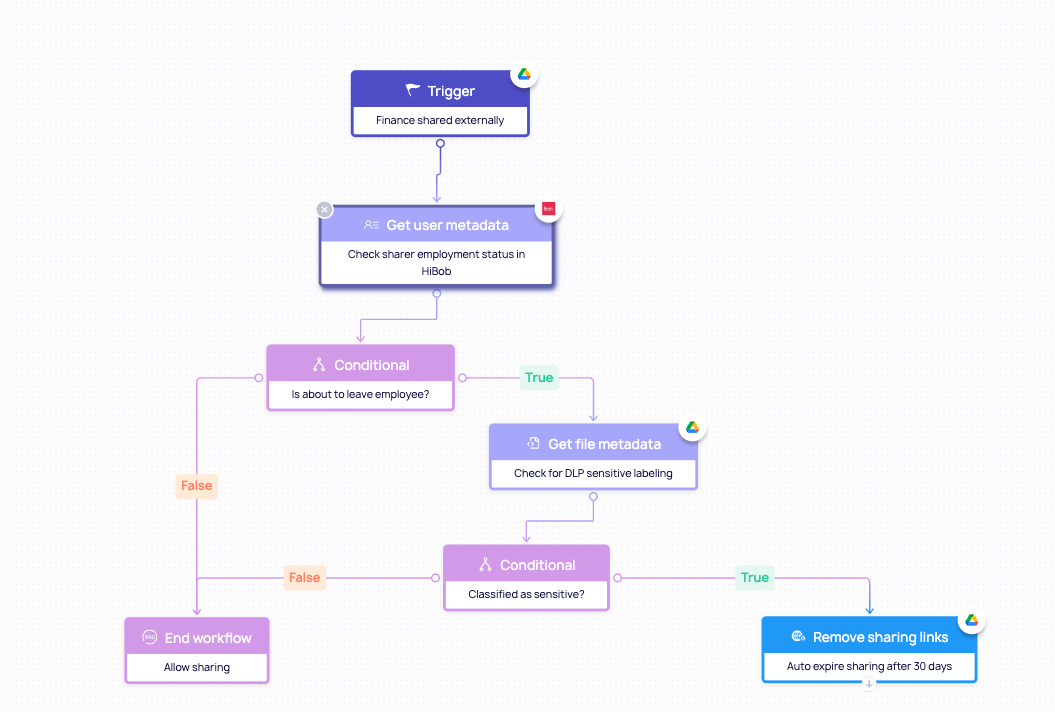
DoControl integrates with your HRIS platforms, such as Workday, HiBob, or BambooHR, which allows for monitoring of departing employees who pose much higher risk by definition.
With Google Labels in place, DoControl can detect and respond to potential sensitive data exfiltration by leaving employees attempting to steal sensitive data.
Recommendations
- Setup Labels: Google Workspace Enterprise customers should start using a combination of DLP and AI classification labels to tag their entire Google Drive environment with relevant labels (intellectual property, PII, PCI, PHI, etc).
- Review Attack Surface: With a fully labeled Google Drive environment, sign up and integrate DoControl to understand your entire attack surface across Shared Drive, My Drive, Org Units, IDP groups, HRIS departments, External Collaborators, etc.
- Cleanup Technical Debt: Identify and execute low/no risk remediation action items, such as external sharing cleanup of inactive labeled files, cleanup of publicly shared labeled data, removal of internal with a link permissions for highly sensitive labeled data, etc.
- Set Up Automated Workflows: For high risk scenarios, such as departing employees sharing sensitive, labeled data, set up automated workflows to remediate right away.
- Schedule Workflows: Trigger a Workflow every 90 days to search for inactive, labeled data shared with external collaborators and perform cleanups automatically.
- Empower End-Users: In low-confidence scenarios where labeled data is being collaborated with no business justification, use the DoControl Slack Bot and/or Emails to get business context from end-users to determine the right course of action with high confidence.
Conclusion
In summary, the continued evolution of Google’s AI-powered labeling capabilities creates new opportunities for organizations to better understand and protect the data stored across Google Drive. DoControl builds on these innovations by integrating AI labels directly into its security platform, enabling organizations to automatically detect sensitive information and trigger precise, automated workflows that protect data without disrupting users.
By combining intelligent classification with automated remediation and policy enforcement, DoControl helps customers secure their entire Google Workspace environment without hindering business productivity.

.png)