Solving the SaaS data security challenge is one of the most pressing issues organizations face today. They know they have sprawling data, they know they need to figure it out, but they are still in the dark about what different tools and vendors can actually do for them.
A lot of SaaS security platforms claim to give customers “actionability,” but in reality, they only offer visibility: what data you have, where it lives, and maybe who has access to it. But here’s the catch:
Visibility ≠ protection.
The biggest problem is this: modern SaaS environments don’t sit still. Companies are creating millions of files every day, connecting thousands of third-party apps, spinning up AI workflows everywhere, constantly onboarding and offboarding employees, contractors are coming in and out…with ALL of this activity tied to the sensitive data powering the business.
Seeing you have risk isn’t the hard part anymore. Doing something about it is. This is the gap most security teams are currently stuck in.
Companies don’t just need visibility, they need control: a way to actually enforce policies, actively prevent exposure, and protect sensitive data at scale.
This is where DoControl is different, and how our remediation workflows came to be.
An Introduction to DoControl Workflows
The overall structure of, “if this, then that,” runs most things on the internet. SaaS data security is no different.
In this realm, it’s important to have conditions and defined consequences on the policies you want to implement. Should certain things be allowed? Should others be corrected? Do we want to exclude or include certain actors from this policy?
DoControl’s Workflows give you this flexibility and nuance. They are designed to give you an easy way to craft these policies tailored to your company’s needs around SaaS data security.
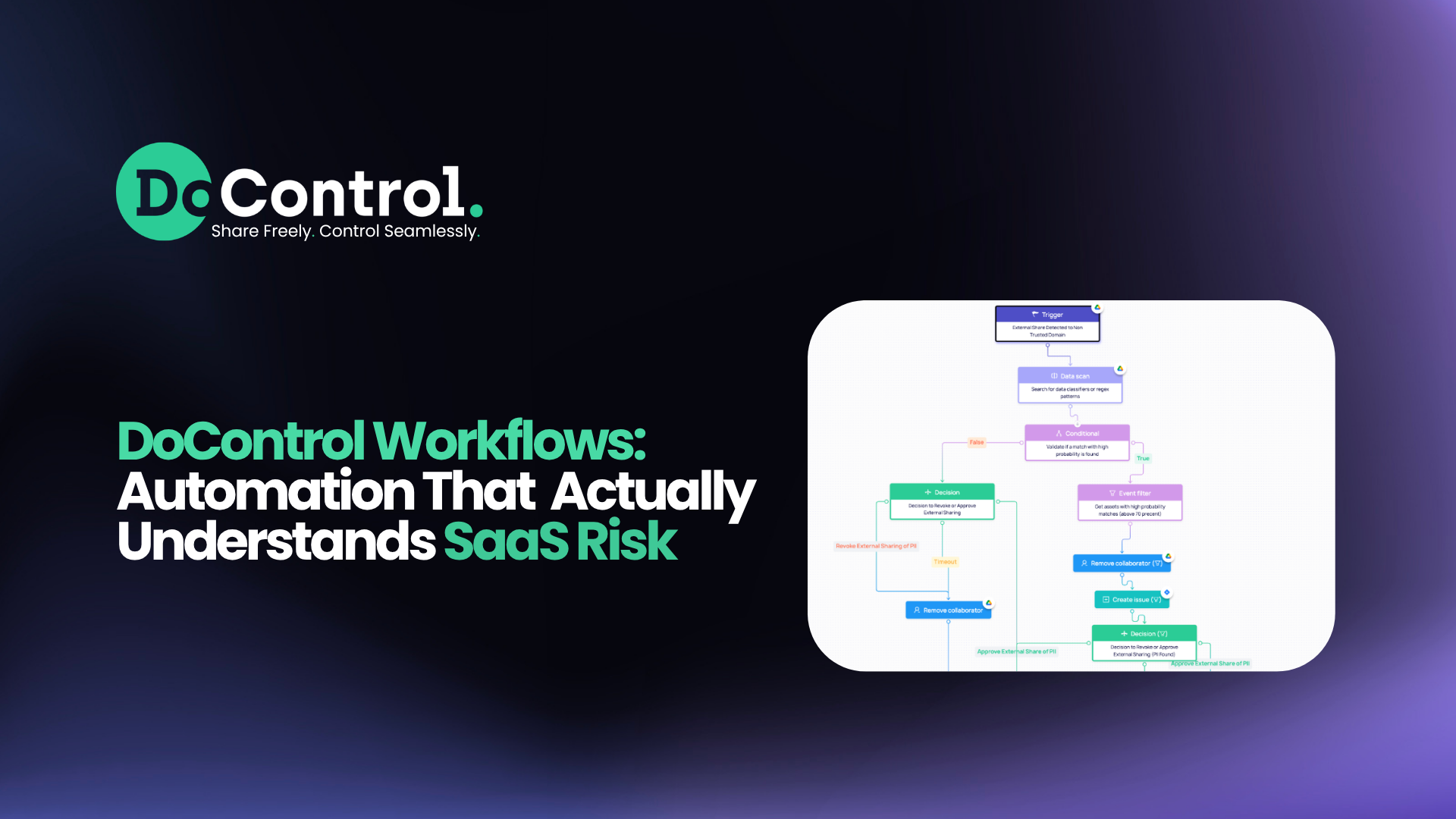
At its core, DoControl’s workflow engine is a no-code, event-driven automation layer that continuously monitors SaaS activity and takes action in real time. Built on granular triggers, conditional logic, and rich business context, workflows allow security teams to define exactly how risk should be handled - automatically.
Unlike traditional tools that rely on static policies or manual remediation, DoControl workflows:
- React to live SaaS events (sharing, uploads, permission changes)
- Incorporate context from IdP, HRIS, and business logic
- Enable automated or human-in-the-loop remediation
- Scale across multiple SaaS applications - not just one!
This combination makes workflows one of DoControl’s core differentiators - and a key reason customers can enforce least-privilege access without slowing the business down.
Our workflows can range from simple to complex, depending on the company - how much data they have, how large their organization is, the specific use cases they care about, what other tools they’re using, how granular they want to get, and how deep they want to go.
DoControl offers out-of-the-box playbooks to get started quickly upon onboarding, but the beauty of the product is that customers can build their own workflows to fit their most specific, granular use cases. We work closely with customers to set up, refine, and launch these workflows - making sure they’re driving stronger SaaS security and getting the most out of our product.
Below, we’ll walk through three examples: each showing a different level of complexity and what these workflows are capable of.
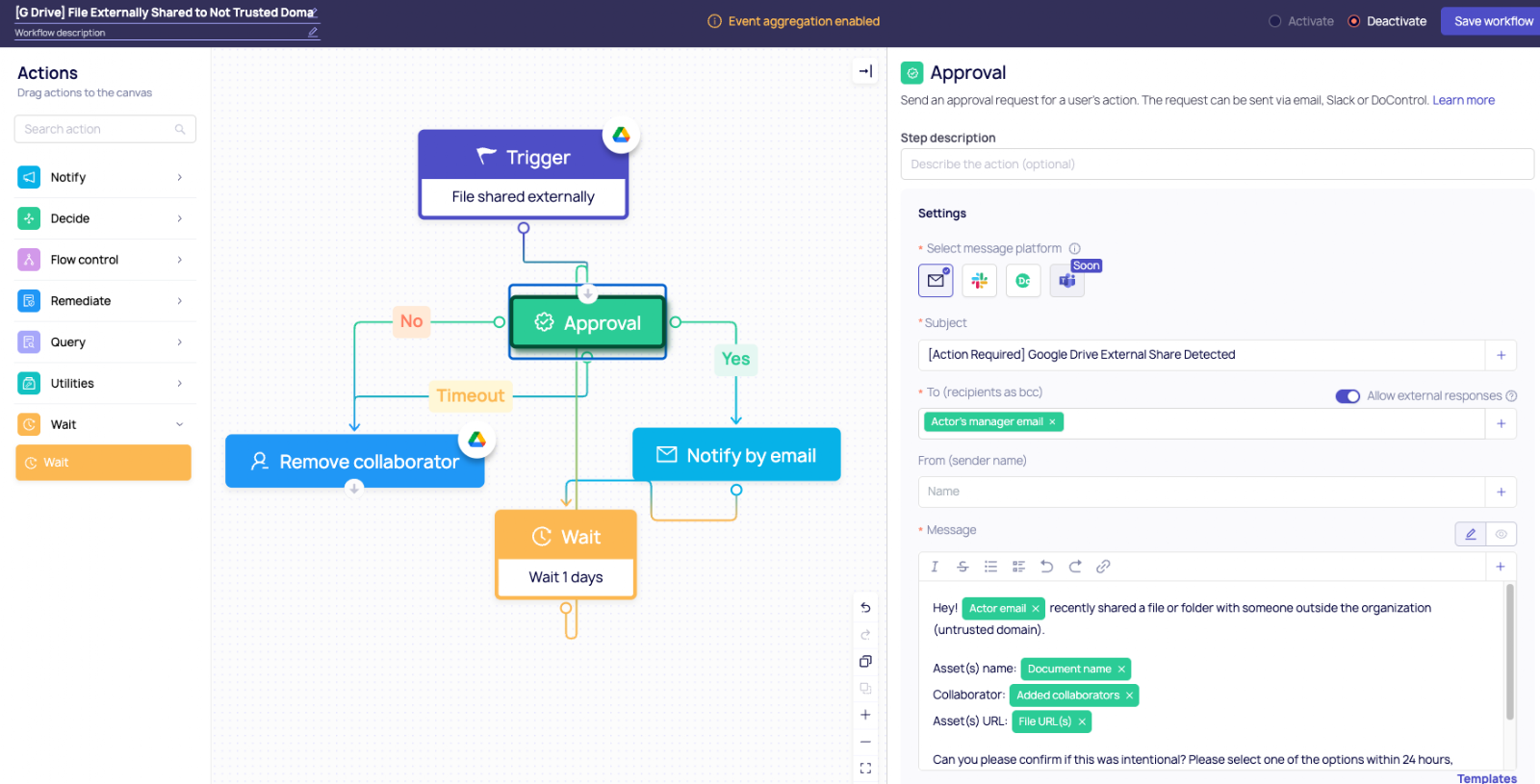
Example 1: Simple Workflow → External Sharing Control
Let’s start with a workflow nearly every organization needs: controlling external sharing.
Scenario:
An employee shares a Google Drive file with an external collaborator.
Workflow logic:
- Trigger: File shared externally
- Condition: External domain is not approved
- Action:
- Send approval request to manager
- Temporarily allow access for 24 hours
- Auto-revoke access if not approved
Why it matters:
This replaces manual review processes with a time-boxed, approval-driven flow - balancing security with productivity. Instead of blocking work outright, the workflow enables it safely.
Example 2: Intermediate Workflow → Sensitive Data Exposure (DLP in Action)
Now let’s layer in one of DoControl’s most powerful capabilities: data scanning.
Scenario:
A file containing PII or financial data is shared externally.
Workflow logic:
- Trigger: File shared or permission changed
- Condition: File contains sensitive data (PII, financial info, keywords, regex patterns)
- Action:
- Automatically remove external access
- Notify the file owner with context
- Alert security team or create a ticket
DoControl combines content inspection with business context to minimize false positives and ensure actions are relevant.
Why it matters:
This is where workflows go beyond simple automation - they become intelligent guardrails. Instead of treating all files equally, DoControl applies different controls based on what the data actually is.
.png)
Example 3: Advanced Workflow → Context-Aware Access with Labels & Business Logic
For more mature teams, workflows can incorporate deeper organizational context—like labels, departments, or ownership.
Scenario:
Highly sensitive documents (e.g., labeled “Confidential” or “Finance”) are shared internally or externally.
Workflow logic:
- Trigger: File sharing event
- Condition:
- File has a specific label (e.g., “Confidential”)
- AND shared outside a defined group (e.g., Finance team)
- Action:
- Block or downgrade permissions
- Require multi-step approval (manager + security)
- Log and escalate high-risk activity
You can also extend this with:
- Department-based rules (HR vs Engineering)
- User risk signals (e.g., departing employee)
.png)
Why it matters:
This is where DoControl workflows truly shine. By combining labels, identity data, and real-time activity, organizations can enforce policies that are:
- Highly granular
- Business-aware
- Consistent across all SaaS apps
Why Workflows Change the Game
Most security tools force you to choose between control and productivity. DoControl workflows remove that tradeoff.
The workflows allow business operations to keep running, while also staying secure at the same time.
They allow you to:
- Automate remediation at scale
- Apply consistent policies across tools
- Involve users when needed (instead of blocking them)
- Continuously adapt to changing risk
- Focus manual effort on the most high-priority incidents
All powered by a flexible, no-code engine that every member of the security team can actually use.
Final Thoughts
Modern SaaS environments move fast: files are shared in seconds, access is granted with a click, and third-party apps connect instantly. But security teams are left trying to keep up with a constant stream of risk.
The problem is, most tools stop at visibility. And visibility without action doesn’t reduce risk.
That’s where DoControl Workflows come in - closing the gap between knowing and doing, and giving teams real control over their SaaS environments.
{{cta-1}}

.png)