.png)
.png)
Short answer? Yes, but only under specific conditions.
Yes, Google Drive files can be indexed by search engines and surfaced by AI systems, but only when they are publicly accessible and discoverable on the open web.
Files that are restricted to specific users are not indexable. Files shared as “anyone with the link” are not automatically indexed, either. However, if that link is posted on a public, crawlable website - or if the file is explicitly published to the web - it can appear in search results and be summarized by AI-powered search experiences.
In other words: Google Drive isn’t a publishing platform by default, but under the right conditions, it can quietly become one…
Why this question matters more than ever in 2026
Let’s back up a bit, because there’s context to this. Google Drive has become the de facto collaboration layer for modern businesses. Contracts, customer lists, pricing models, incident reports, board decks, and internal roadmaps all live side by side with marketing drafts and meeting notes.
In 2026, Drive stores the most innocent of note sheets from interns to the most sensitive data at the company created by senior leadership.
At the same time, search engines and AI systems (like Gemini, for example) are becoming more aggressive at discovering, indexing, and summarizing publicly accessible content - including documents, spreadsheets, and PDFs that were never intended for broad distribution.
This has created a growing gray area:
- What does “public” actually mean in Google Drive?
- Does “anyone with the link” make a file visible to Google?
- Can AI systems access or learn from Drive-hosted content?
- And how do security teams prevent accidental exposure?
This article breaks down exactly when Google Drive files can be indexed, how AI fits into the picture, and what organizations need to do to stay in control of their data.
The two conditions that determine whether Google Drive files can be indexed
For a Google Drive file to appear in search results - or be surfaced by AI-powered search experiences - two conditions must be true at the same time.
If either one is missing, the file will not be indexable.
1. The file must be publicly accessible
First, the file must be accessible without authentication.
That means:
- No Google account required
- No organization-only restrictions
- No explicit user permissions needed to view the file
Files that are:
- Restricted to specific users, or
- Limited to members of a Google Workspace domain
cannot be crawled or indexed by search engines because bots can’t log in or request access.
This is straightforward, and generally well understood.
Where confusion starts is with link sharing.
The file must be discoverable on the open web - where most exposure actually happens
Public access alone is not enough for a Google Drive file to be indexed.
For Google (or any search engine) to find and index a file, it must also be discoverable - meaning a crawler has a clear path to the URL from the open web.
This is where most accidental exposure occurs.
How Google Drive links become discoverable in real life
In practice, Drive files become discoverable when links are shared beyond their intended audience, often unintentionally. This is done by employees; many of whom are well-meaning employees that simply don’t know SaaS security best practices.
Employees are the weakest link in the security chain. In fact, 95% of cybersecurity incidents occur due to human error. An employee could mean well, but still put the company at risk by sharing files beyond who absolutely needs access.
Common scenarios include:
- A Google Drive link is posted on a public website or landing page
- A link is shared externally and then forwarded, copied, or reused beyond the original recipient
- A Drive file is embedded in a public help center, documentation portal, or knowledge base
- A link appears in public forums, job postings, community sites, or support threads
- A document is explicitly published to the web, making it intentionally accessible to anyone
Once a Drive link is publicly accessible and placed in a crawlable location, search engines CAN and WILL find it.
That’s why some Google Drive files unexpectedly appear in search results - even when they were never meant to be public (and are extremely confidential).
A real life example of this? ScaleAI - one of the most high-profile startups in the space (recently valued at $14.8 billion in a deal with Meta), used public Google Docs to store and share extremely sensitive information related to clients like Meta, Google, and Elon Musk’s xAI.
Their Drive files were accessible to anyone on the internet - and thousands of sensitive materials were leaked, including confidential documents, employee pay data, training prompts, codenamed AI projects, and more.
The “Anyone with the Link” problem
In some cases, a file may be set to “Anyone with the link can view” but never intentionally posted online. On its own, that link may be difficult - or even impossible - for search engines to discover.
However, this is where user behavior in Google Workspace becomes the risk factor.
Employees regularly:
- Paste links into public-facing tools without realizing it
- Reuse old links in new contexts
- Share documents externally for convenience or speed
- Assume “anyone with the link” is still private
All it takes is one accidental share for a file to cross the line from internal collaboration to public exposure.
Why human risk (also known as insider risk) matters more than malicious intent
Most data exposure incidents involving Google Drive are not the result of hackers.
They happen because:
- Well-meaning employees prioritize productivity over security
- Sharing settings are simply misunderstood
- There’s no visibility into where links are being reused
- Security teams can’t see which files are exposed, what their employees are doing, and how every day actions are putting the company at risk
Industry research consistently shows that the majority of security incidents involve human error, not advanced attacks, with 90% of security leaders reporting insider attacks as equally or more challenging to detect than external attacks, highlighting the complexity of insider threats.
Even a single unintentionally shared link can expose sensitive company data, customer information, or intellectual property.
And in rarer - but higher-impact cases - a malicious insider can intentionally misuse public link sharing to exfiltrate data or share it with unauthorized parties.
The takeaway for security and IT leaders?
Google Drive itself isn’t the problem.
The real risk lies in:
- Uncontrolled link sharing
- Lack of visibility into exposure
- Overreliance on employees to “do the right thing” without guardrails
Common sense isn’t that common. What security team members think of as common sense (not sharing a link publicly) isn't even a consideration for employees who are just trying to get their work done as fast as possible.
This is why modern SaaS security requires more than policies - it requires continuous awareness, education, and monitoring of how collaboration tools are actually being used.
Can AI systems access or summarize Google Drive files?
As search engines evolve, many teams are asking a more urgent follow-up question:
If Google can index a Drive file, can AI systems access it too?
The short answer is: AI systems follow the same exposure rules and access permission rules as search engines.
If a Google Drive file is:
- Publicly accessible, and
- Discoverable on the open web
…it can be indexed, summarized, or referenced by AI-powered search experiences and LLMS - just like any other public webpage or document.
Similarly, if a link is set to public or has “Anyone with the link can access” permissions, then these files can also be surfaced in Gemini AI Search that lives within the organization’s Drive instance.
Search AI vs. AI training: an important distinction
It’s important not to conflate two very different concepts:
1. AI-powered search and summarization
Modern search engines (like Google, for example) increasingly use AI (AI Snippets, FAQ’s) to:
- Summarize indexed content
- Answer questions using public documents
- Generate overviews from multiple sources
If a Google Drive file is publicly indexed, its contents may appear in these AI-generated answers, even if the file was never intended for broad distribution.
2. AI model training
Training large language models typically involves a large assembly of publicly available data, licensed data, or data created by human trainers. While individual Drive files are not “targeted” for training, the core principle remains the same:
If content is publicly available on the open web, organizations should assume it may be reused, referenced, or incorporated elsewhere over time.
From a risk perspective, the distinction doesn’t materially change the takeaway for security teams.
Why AI increases the blast radius of exposure
Traditional search exposure is often passive. Someone has to go looking for the file.
AI changes that dynamic.
When content is:
- Indexed, and
- Understandable to machines
…it becomes easier to:
- Summarize sensitive information
- Extract key details
- Surface insights out of context
This means a single exposed document can now be:
- Answered in response to a natural language query
- Included in an AI-generated overview
- Rediscovered long after the original link was shared
In short, AI doesn’t necessarily create new exposure, but it dramatically increases visibility once exposure already exists.
TL:DR: if your Google Drive files containing company data are shared publicly, accidentally shared on the web, or have over-permissioned access, AI only increases the risk of that data landing in the wrong hands.
How AI increases INTERNAL data exposure
Internal AI tools in Google Workspace, like Gemini, increase data risk when access permissions are outdated and aren’t well managed.
AI can use anything an employee already has access to within Google Workspace, not just information that’s public or shared on the Open Web.
In Google Workspace, Gemini can see documents, emails, chats, and shared drives that a user has access to or is shared on. So, when an employee asks Gemini to summarize a deal, draft a proposal, or find information, Gemini can pull data from any file the user can see.
The problem is that many organizations don’t actually know who has access to what, meaning:
Gemini may pull data to assist an employee that the employee should never have been able to see in the first place.
Over time, files get shared and access is rarely cleaned up. Employees, former employees, and contractors may still have access to sensitive data they no longer need.
For example, a junior sales employee who’s planning on leaving the company asks Gemini: “Summarize our largest customer contracts from last year.” He's planning on taking that data with him to his next organization, which happens to be a direct competitor.
Gemini searches across Google Drive and finds several documents this employee technically has ‘access to’ (he is literally shared on the document since he’s on the finance team, so, this access is 100% authorized). Gemini then surfaces a finance folder in a Shared Drive, and that folder contains confidential contracts and pricing details the junior exec employee really shouldn’t be seeing.
This junior exec now has a file he never would've known he could even see right at his fingertips, given to him in a matter of seconds. Not only does he have the concrete file himself, but he has the information summarized in a way that's convenient for him.
Nothing was “hacked.” Gemini simply used the access it was given. The real issue was outdated permissions that allowed the AI to surface information the employee should never have had access to in the first place.
When Gemini is used in this environment, it leads to data exposure, data exfiltration, and creates a brand new attack vector.
This is why security teams need clear visibility and control into access permissions, AND must regularly clean them up. If access isn’t properly governed, AI simply amplifies existing permission problems and turns them into real data exposure risks.
The practical rule for modern teams
For security, IT, and compliance leaders, the safest rule is simple:
If a document can be accessed without authentication and discovered on the public web, treat it as fully public - regardless of where it’s hosted.
Whether that content is read by a human, indexed by a search engine, or summarized by an AI system, it's an external identity - and the underlying risk is the same.
Why this matters for security teams and compliance leaders
Google Drive has become one of the primary systems where sensitive business data lives, yet it’s rarely governed with the same rigor as production systems or customer databases. When files are accidentally exposed, the consequences often extend far beyond a single document.
The hidden risk: collaboration tools weren’t designed for data governance
Google Drive was built to make sharing easy. That’s its strength, and its weakness.
Unlike traditional systems of record, Drive:
- Encourages fast, frictionless sharing
- Makes it easy to reuse links across contexts
- Lacks built-in awareness of where links travel over time
As a result, organizations often have:
- Publicly accessible files they don’t know about
- Sensitive documents shared externally long after their original purpose
- No clear inventory of which links are exposed, and to whom
This creates what security teams increasingly refer to as “silent data exposure.”
Compliance implications add real stakes
From a compliance perspective, unintended Drive exposure can trigger serious issues:
- SOC 2 / ISO 27001: Failure to enforce least privilege or monitor access
- GDPR / privacy regulations: Exposure of personal or customer data
- Contractual obligations: Breach of customer confidentiality agreements
- Incident response requirements: Public exposure may qualify as a reportable event
Even when no malicious actor is involved, organizations are still accountable for how their data is shared and protected.
AI accelerates discovery - and shortens response time
Historically, an exposed file might sit unnoticed for months.
Today, AI-powered search and discovery tools:
- Surface information faster
- Make sensitive content easier to understand
- Reduce the effort required to extract value from exposed data
This shortens the window between accidental exposure and meaningful impact.
By the time a security team becomes aware of the issue, the data may already have been:
Indexed → Copied → Cached → Or summarized elsewhere…
Why policies alone are no longer enough
Most organizations already have:
- Acceptable use policies
- Security training programs
- Guidelines for sharing sensitive data
Yet, exposure still happens.
Why's this? Because employees move quickly, tools make sharing effortless, and security teams can’t manually track, manage, audit, or revoke access every link.
To manage this risk effectively, organizations need:
- Continuous visibility into shared files
- Awareness of which links are publicly accessible
- Automated workflows and policies that help employees make safer choices by default, and remediate when they don’t
How to check if your Google Drive files are exposed (and why manual checks don’t scale)
Once teams understand how Google Drive files can become publicly accessible, the next logical question is:
How do we actually know if this is happening in our environment?
The uncomfortable truth is that while Google Workspace provides basic sharing controls, it does not provide a comprehensive, continuous way to identify, assess, and remediate exposure risk across an entire organization.
What you can check manually (and where it falls short)
Most teams start with some combination of the following:
- Searching Google for company-related Drive links
- Asking employees to self-audit shared files
- Reviewing individual file permissions ad hoc
- Spot-checking “anyone with the link” settings in Drive
These steps can occasionally surface obvious issues, but they all share the same limitations:
- They are reactive, not continuous
- They rely on employees to remember what they shared
- They provide no historical visibility into how links were used or reused
- They don’t show where links have traveled outside the organization
- They don’t scale across thousands (or millions) of files
Most importantly, Google does not natively tell you which Drive files are actually exposed or risky - only which permissions exist at a point in time.
That gap is where exposure persists.
Why Google Drive alone can’t solve this problem
Google Workspace was built for collaboration, not security governance. And it doesn’t need to. Google is a lot of things, but it’s not a security solution. Seriously, they have never claimed to be one:
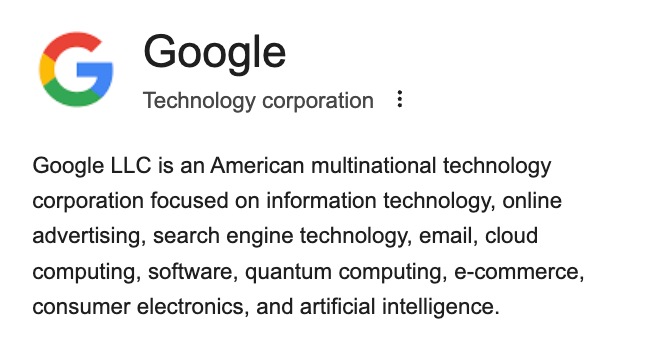
Security is not their focus. As a result, out of the box, Google does not:
- Continuously assess exposure risk across Drive
- Flag sensitive files that are publicly accessible
- Detect historical oversharing or link reuse
- Understand context (data sensitivity + audience + location)
- Enforce guardrails dynamically as behavior changes
This means security teams are left trying to govern a fast-moving, human-driven system using static settings and manual review.
That’s not realistic, and it’s why exposure continues even in well-run organizations.
{{cta-1}}
How DoControl helps teams actually prevent Google Drive exposure
DoControl is purpose-built to solve this exact problem: controlling SaaS data exposure and mitigating insider misuse within Google Workspace without slowing down the business.
Instead of relying on manual audits or one-time cleanups, DoControl provides continuous visibility and automated control across Google Drive.
What DoControl does that native tools can’t
1. Exposure and risk assessment
DoControl continuously identifies:
- Publicly accessible files
- “Anyone with the link” sharing
- External sharing patterns
- High-risk files based on sensitivity and context
Security teams get a clear, prioritized view of what’s exposed and why it matters.
2. Cleanup of historical oversharing
DoControl doesn’t just look to the present and future, it looks back too.
It helps teams:
- Identify legacy links that are still publicly accessible
- Remove unnecessary access
- Clean up forgotten or reused links
- Reduce long-standing exposure that native tools miss
This is critical for organizations that have been using Google Drive for years.
3. Continuous monitoring and remediation
Exposure isn’t a one-time event, it’s ongoing.
DoControl:
- Monitors sharing behavior in real time
- Detects new risky links as they’re created
- Automatically remediates issues based on policy
- Prevents exposure before it becomes public
4. Policy-driven workflows
Instead of blocking collaboration, DoControl enables:
- Smart guardrails based on file type, user role, or data sensitivity
- Automated approval workflows for external sharing
- Education moments that help employees make safer choices
This reduces risk without breaking productivity.
5. Visibility, accountability, and education for insiders (employees)
Finally, DoControl helps organizations move beyond blame and empower employees to make stronger security decisions in the future.
It provides:
- Notifications that engage employees and let them know they’re sharing a file they shouldn’t be (and why)
- Confirmation from the employee if they wish to move forward after alerting them of risks
- Messages to their manager or SecOps teams directly (via Slack or Gmail) to alert them of the activity
- Guardrails that support employees, not punish them
Because the goal isn’t to stop people from working, it’s to stop accidental exposure.
The strategic takeaway?
You can’t manually govern Google Drive exposure at scale.
And Google Workspace alone doesn’t give security teams the visibility or control they need to prevent accidental publishing, indexing, or AI exposure.
DoControl fills that gap, by turning collaboration tools into environments that are not just productive, but secure by design.
Final takeaway: public links turn collaboration tools into publishing platforms
Google Drive was never designed to be a public publishing system - but in practice, public links make it one.
When a file is:
- Publicly accessible, and
- Discoverable on the open web
…it becomes eligible for search engine indexing and AI-powered summarization, regardless of whether that exposure was intentional.
The risk isn’t that Google Drive is unsafe.
The risk is that modern collaboration moves faster than human awareness, and link-based sharing quietly bypasses traditional security controls.
As search engines and AI systems become better at finding, understanding, and surfacing public content, the consequences of accidental exposure increase - whether it’s silent indexing to amplified visibility through AI-generated answers.
For security and compliance leaders, the takeaway is simple:
If you wouldn’t want a document to appear in search results or be summarized by AI, it shouldn’t be publicly accessible or discoverable - even accidentally.
Preventing that outcome requires more than good intentions or one-time cleanups. It requires continuous visibility, guardrails, and education around how collaboration tools are actually used.
That’s how organizations keep Google Drive productive, without turning it into an unintended publishing channel or exfiltration path.